Now Available on Steam

DayZ Loot.
Perfected.

A professional types.xml editor built for rigorous configuration management. Execute bulk parameter shifts, safely integrate external mod dependencies, and validate XML schemas in real-time.

10,000+
Items
0ms
Lag
100%
Mod Support
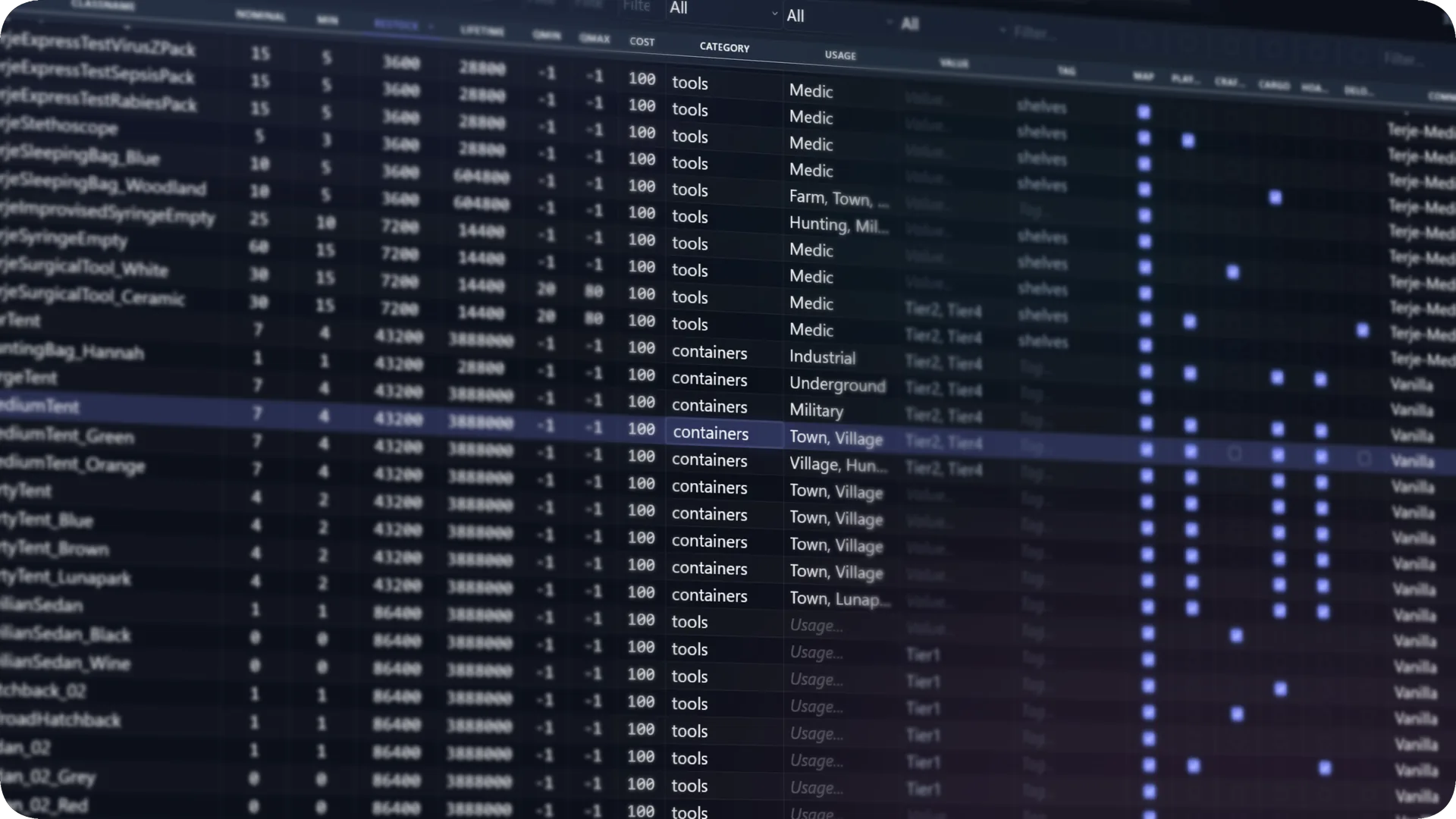
Loot Editor for DayZ — Full data grid interface

Everything you need.
Nothing you don't.

Built by a DayZ server admin. Every feature solves a real problem.

Virtualized Rendering Engine

Process configurations with 10,000+ entities without frame drops. Our proprietary engine ensures immediate response times during filtering and sorting.

Intelligent Schema Merging

Integrate external mod dependencies with precision. Analyze duplicate entries and structural conflicts in a staging environment before committing.

Bulk Parameter Operations

Execute targeted, multi-entity shifts instantaneously. Apply precise absolute thresholds or dynamic percentage offsets across entire categories.

Real-Time Syntax Validation

Mitigate server deployment failures. Our integrated linter continuously evaluates logic against DayZ's strict XML constraints, flagging contradictions.

Non-Destructive Workflows

Modify data without compromising formatting. Our parser reads and writes schemas while preserving original indentation and developer comments.

Advanced Economy Analysis

Maintain perfect server equilibrium. Contrast nominal limits against minimum thresholds at a glance to ensure robust, balanced survival mechanics.

See it in action.

A visual walkthrough of the features that make this editor different.

The Foundation

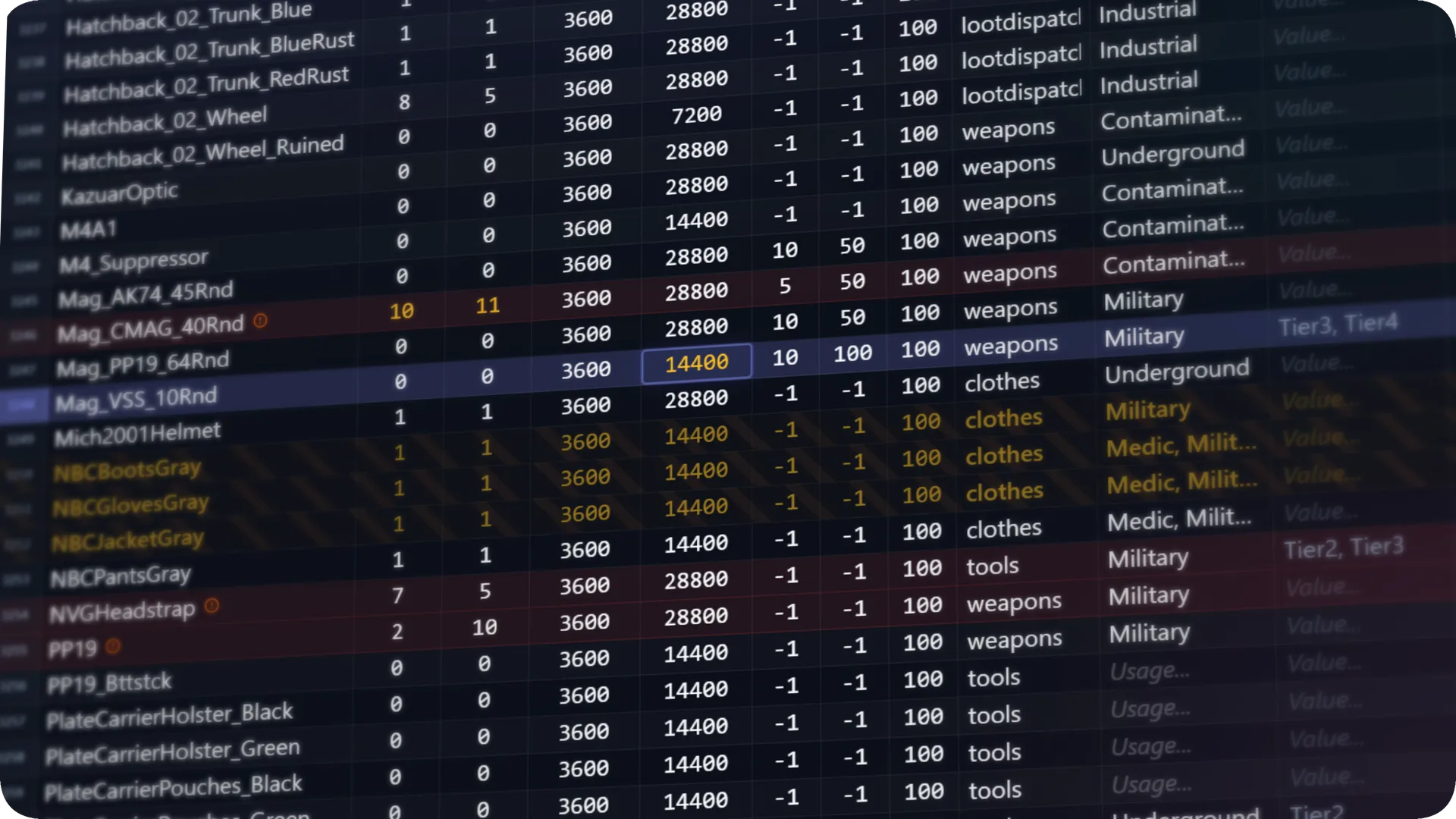
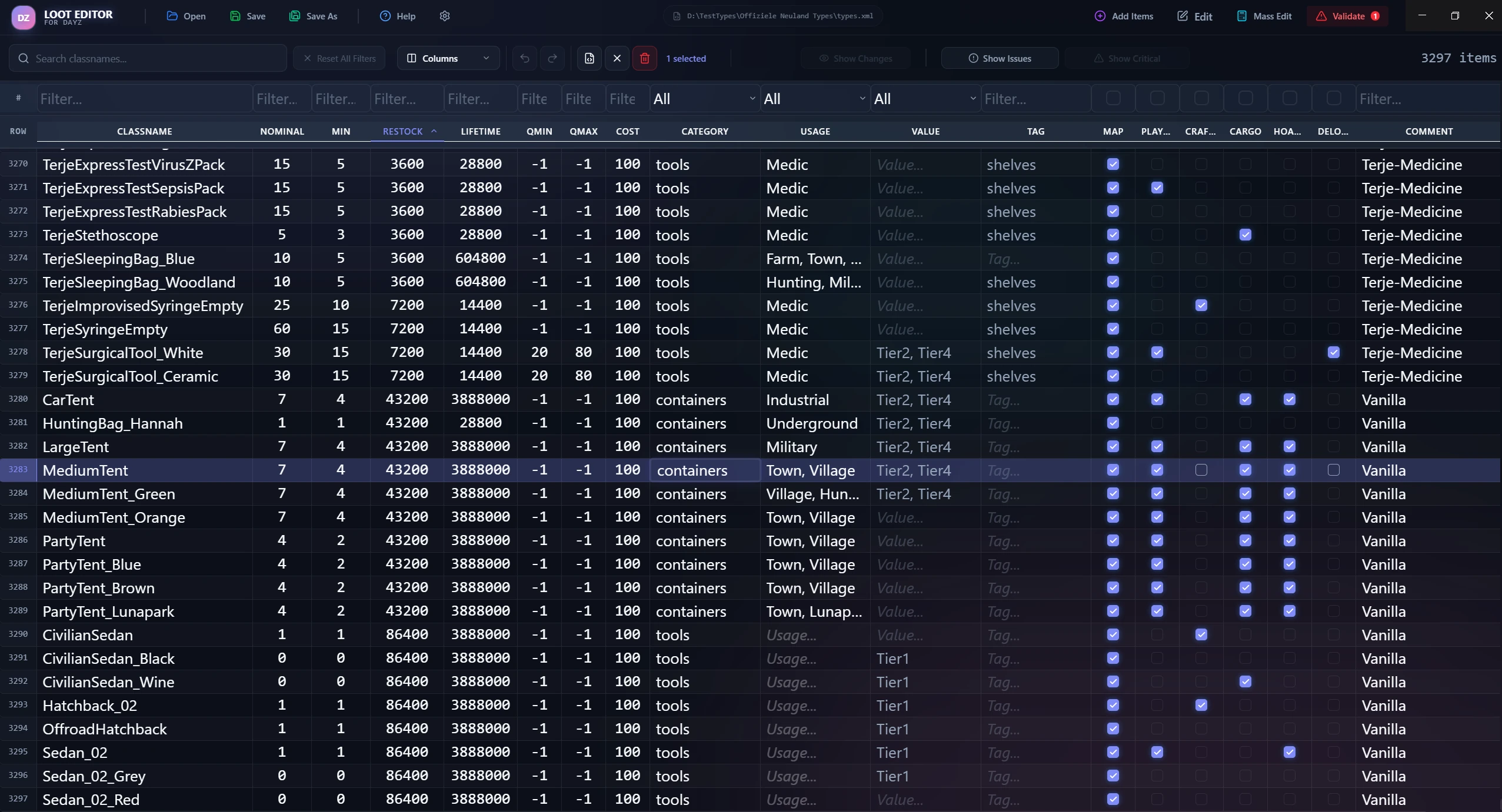
A spreadsheet-grade interface for complex loot economies

Every types.xml parameter — nominal, lifetime, restock, min, category, usage, and value — rendered in a clean, high-density data grid built for advanced analytical tasks.

  • Virtualized rendering for unlimited rows
  • Per-column smart filters with dropdowns
  • Sticky headers while scrolling
  • Customizable visible columns
Loot Editor data grid inside a sleek UI mockup
Find Anything

Advanced categorical filtering

Isolate precise variables with our robust filtering architecture. Filter vast arrays of items by combining categories, tags, or specific usage tiers.

  • Dynamic dropdowns for categorical data
  • Text search for classes and components
  • Combine multiple filters instantly
  • One-click reset
Active filter toolbar showing search and status indicators inside mockup
Your Safety Net

Proactive deployment risk mitigation

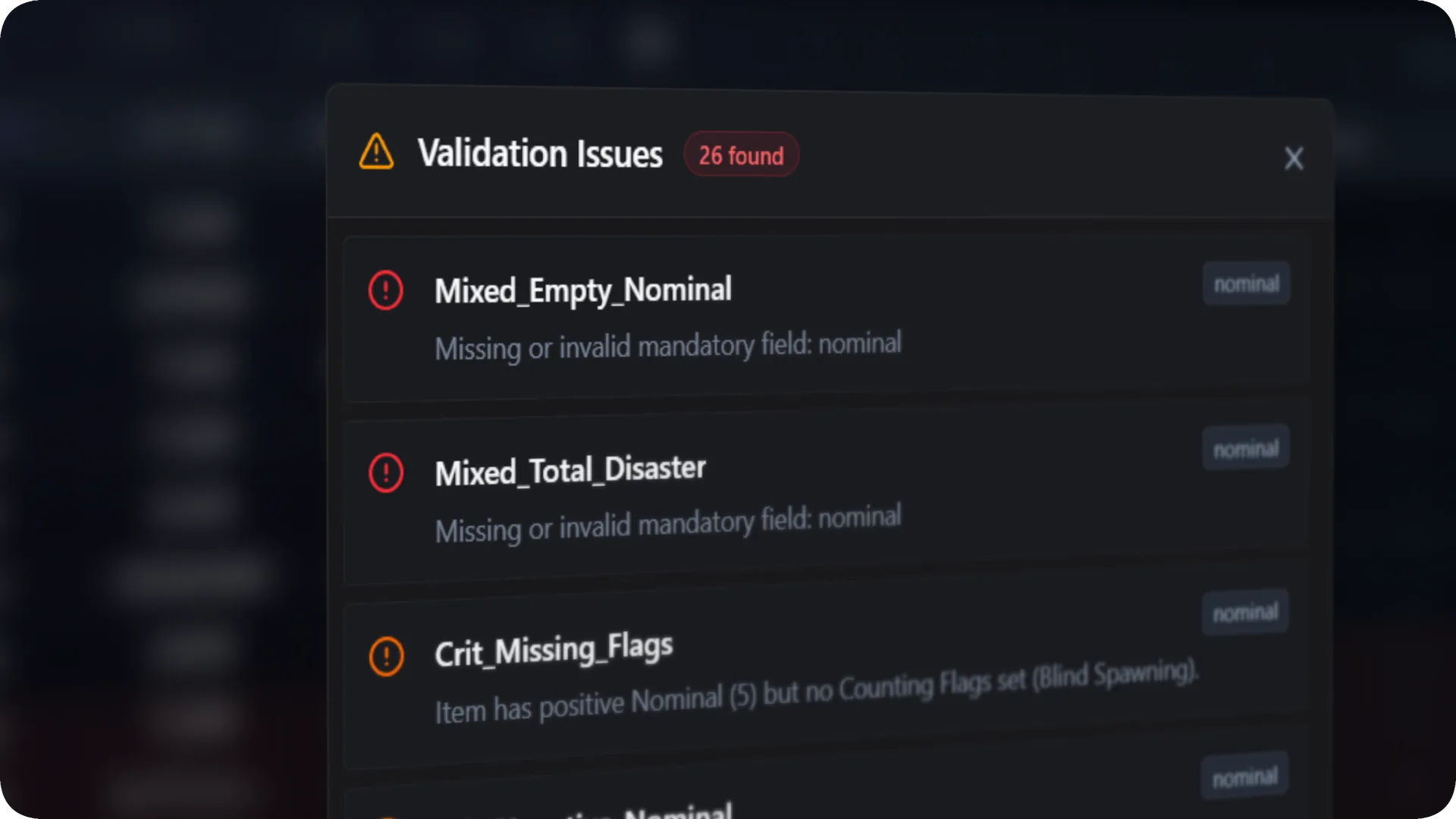
A single invalid attribute can trigger a cascade failure during server initialization. The built-in validation engine identifies logical contradictions and syntax errors instantaneously.

  • Error rows highlighted in red
  • Auto-fix suggestions for common problems
  • Save-blocking for critical errors
  • Non-destructive saving preserves XML structure
Validation Issues modal showing errors and auto-repair inside mockup
Seamless Integration

Safe dependency integration

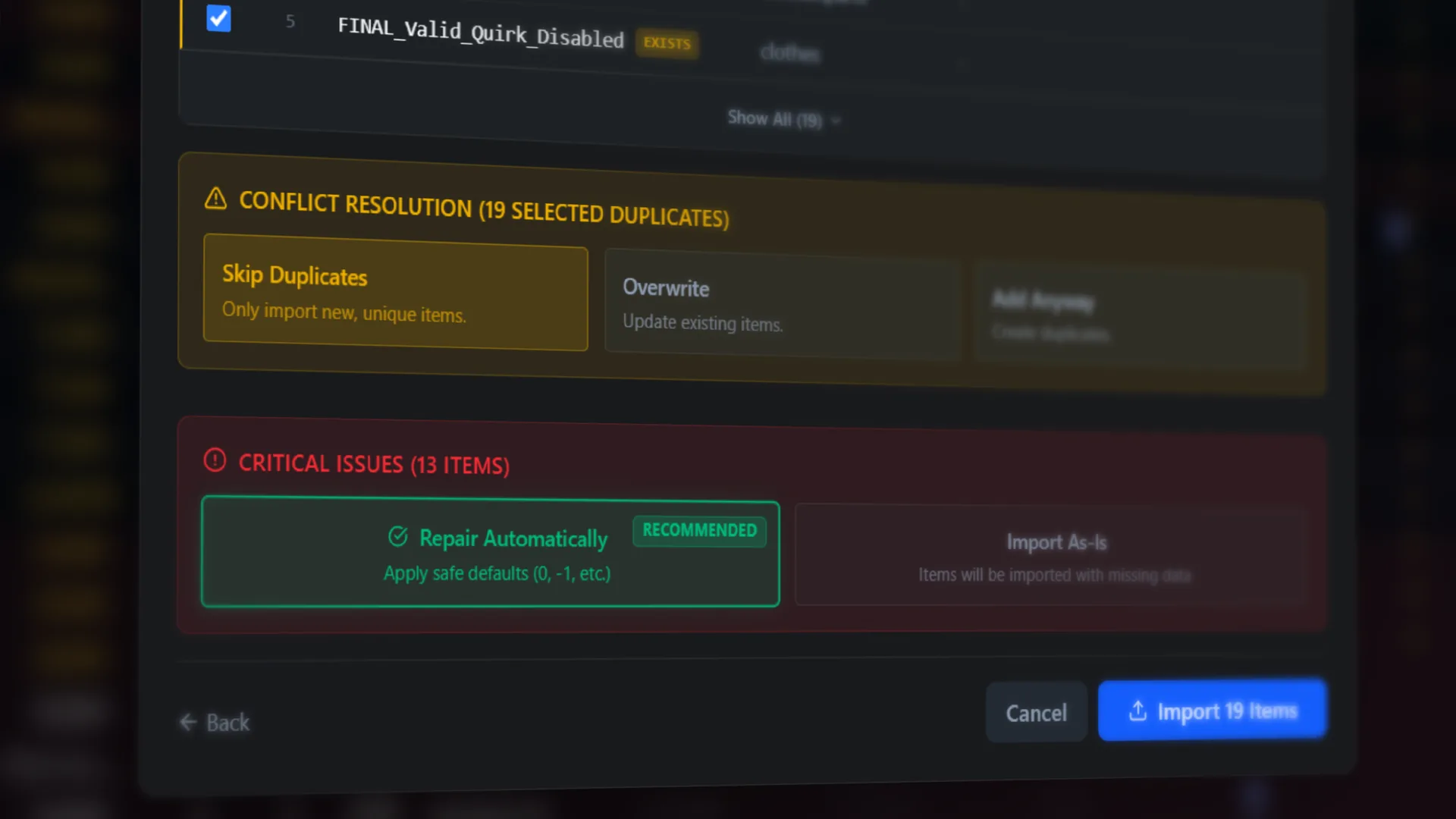
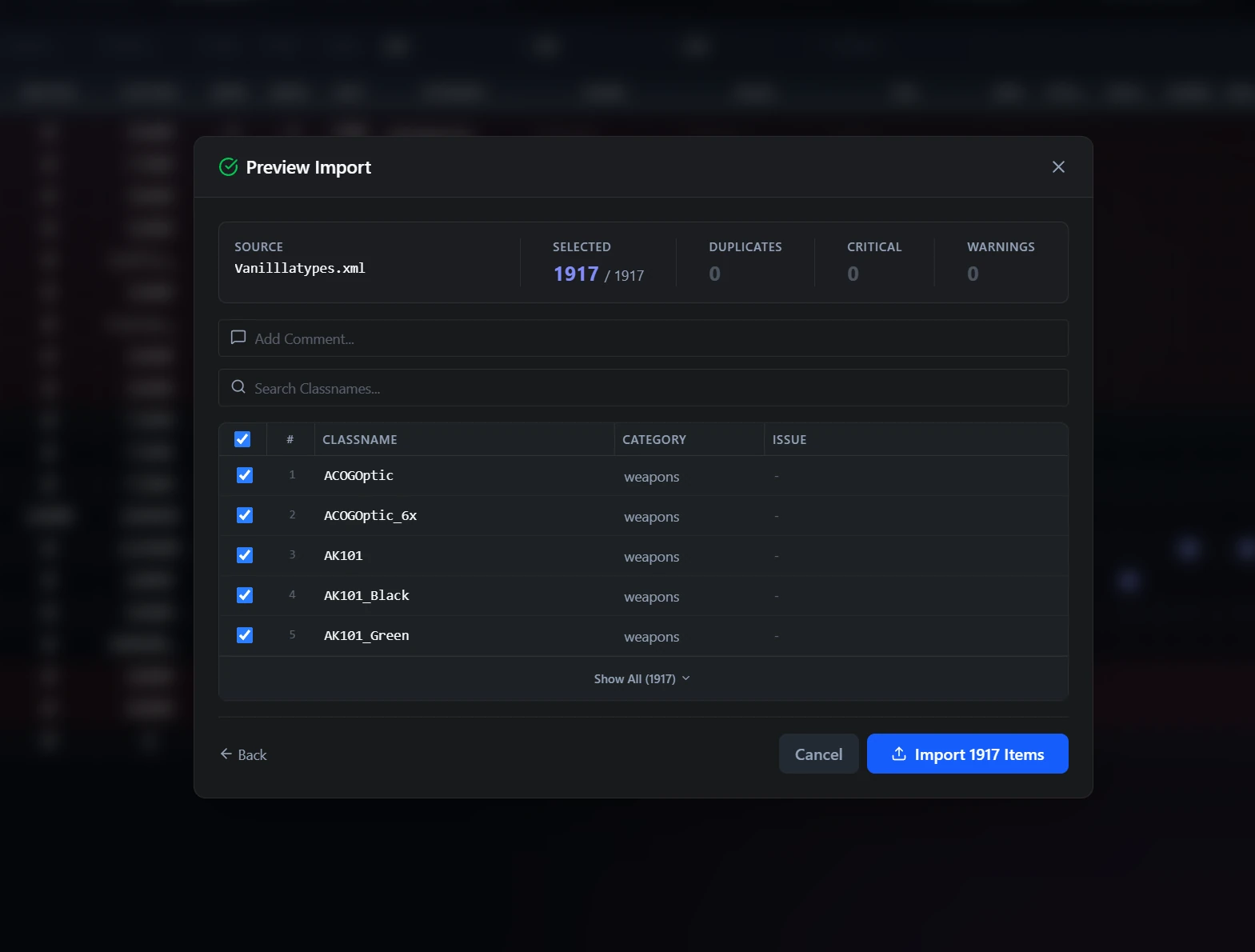
Ingest external mods confidently. Analyze duplicate entries, resolve structural conflicts, and preview additions in a staging layer before executing merges.

  • Automatic duplicate detection
  • Pre-import conflict preview
  • Warning for critical issues
  • Drag & drop from file explorer
Preview Import modal showing items with error detection inside mockup
Time Saver

Execute bulk economic shifts

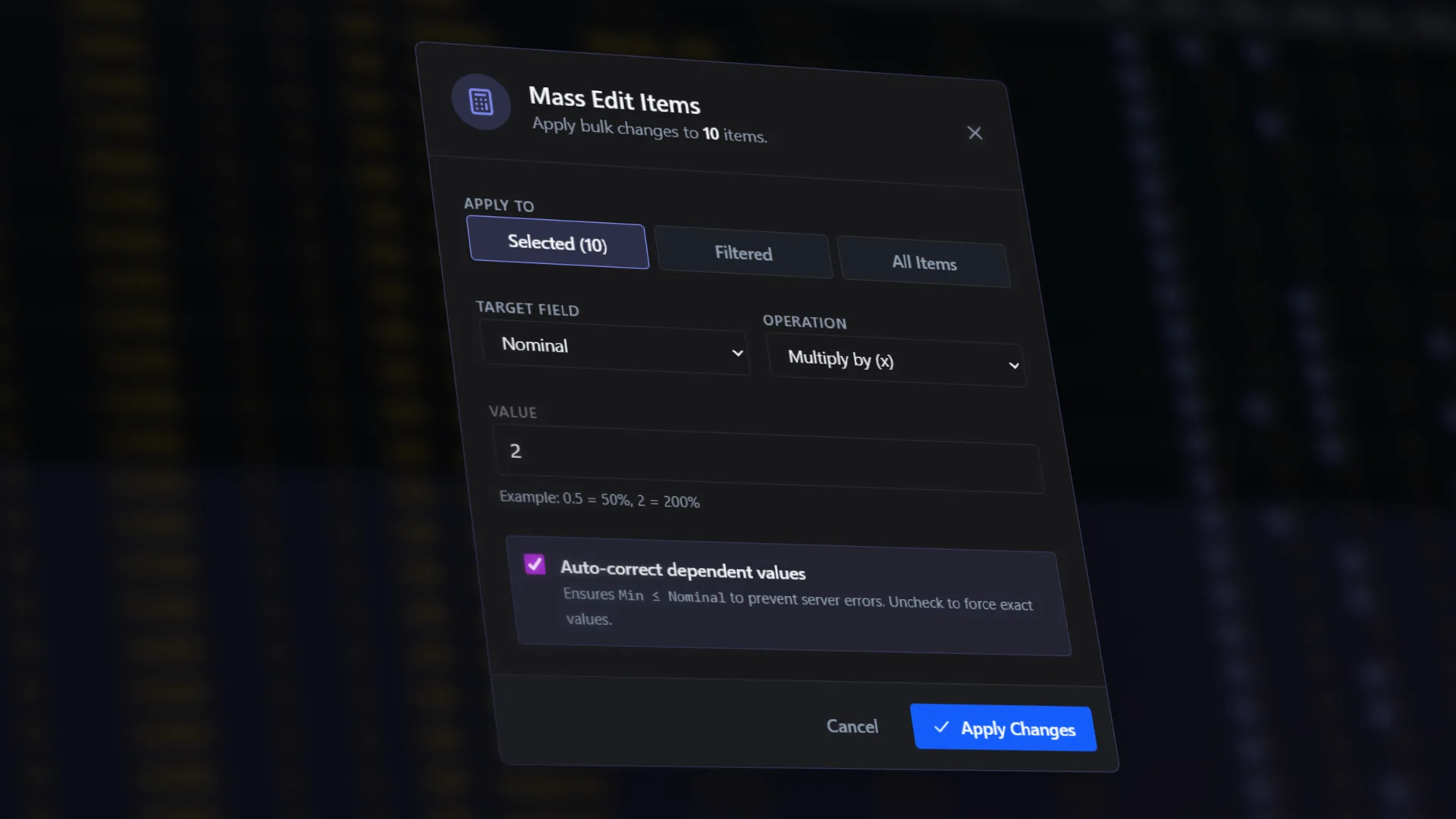
Abandon line-by-line manual code editing. Query targeted segments and apply global algebraic transformations — like lowering spawn rates uniformly by 15%.

  • Set exact numbers or percent adjustments
  • Apply to hundreds of items at once
  • Multi-select with shift/ctrl + click
  • Auto-correct dependent values
Mass Edit Items modal with operations and value fields inside mockup
Enhanced Workflow

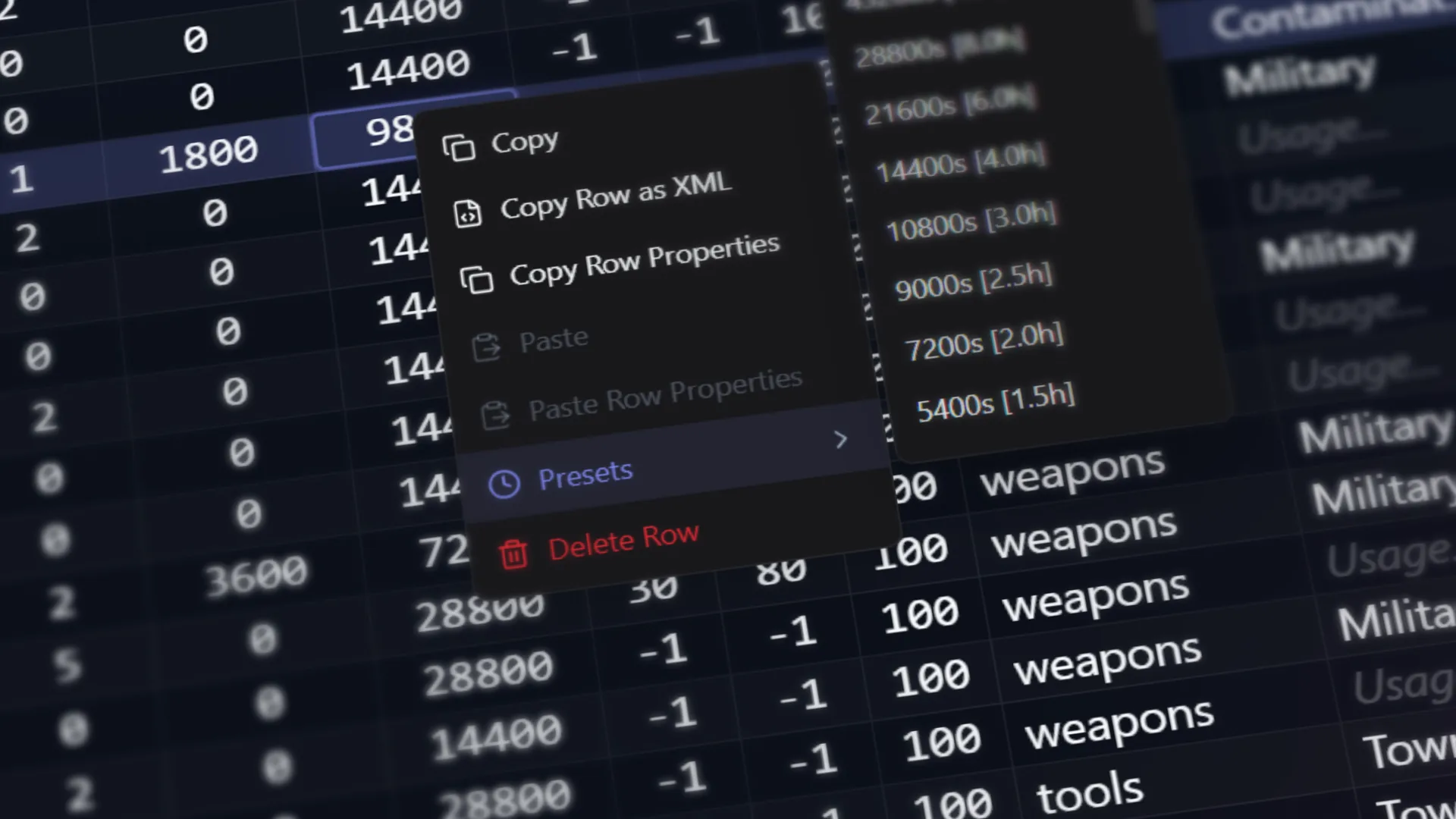
Rapid contextual workflows

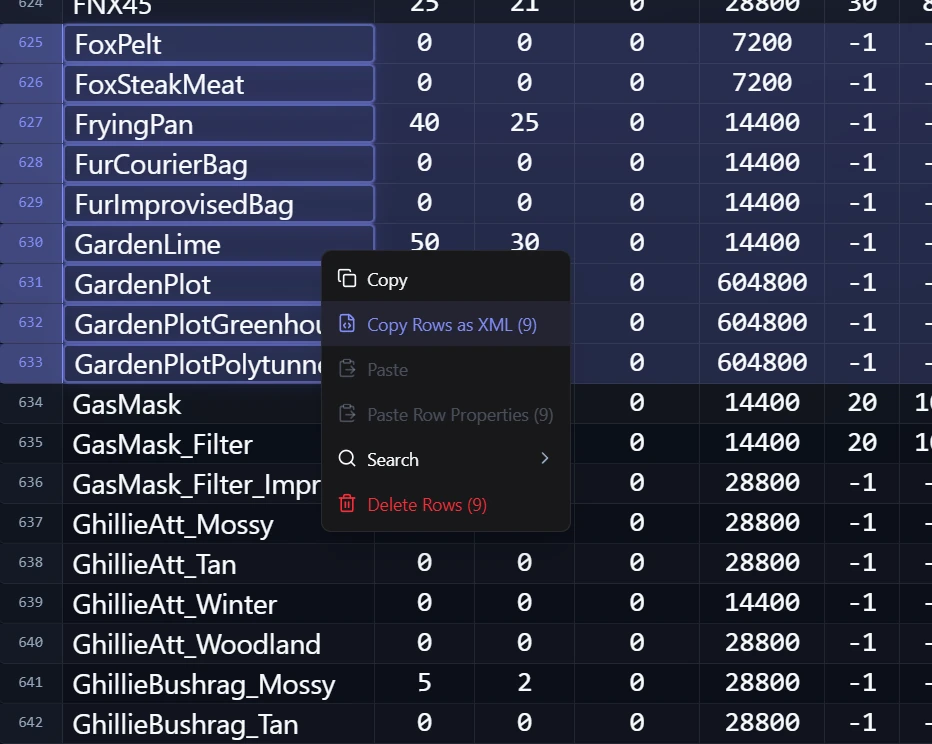
Access critical tooling rapidly. Right-click any entity to invoke deep-link searches, manipulate structural presets, or extract pure XML snippets instantly.

  • Quick internet lookup for item classes
  • Direct row-to-XML copying
  • Configurable presets for common values
Context menu with presets and quick actions inside mockup
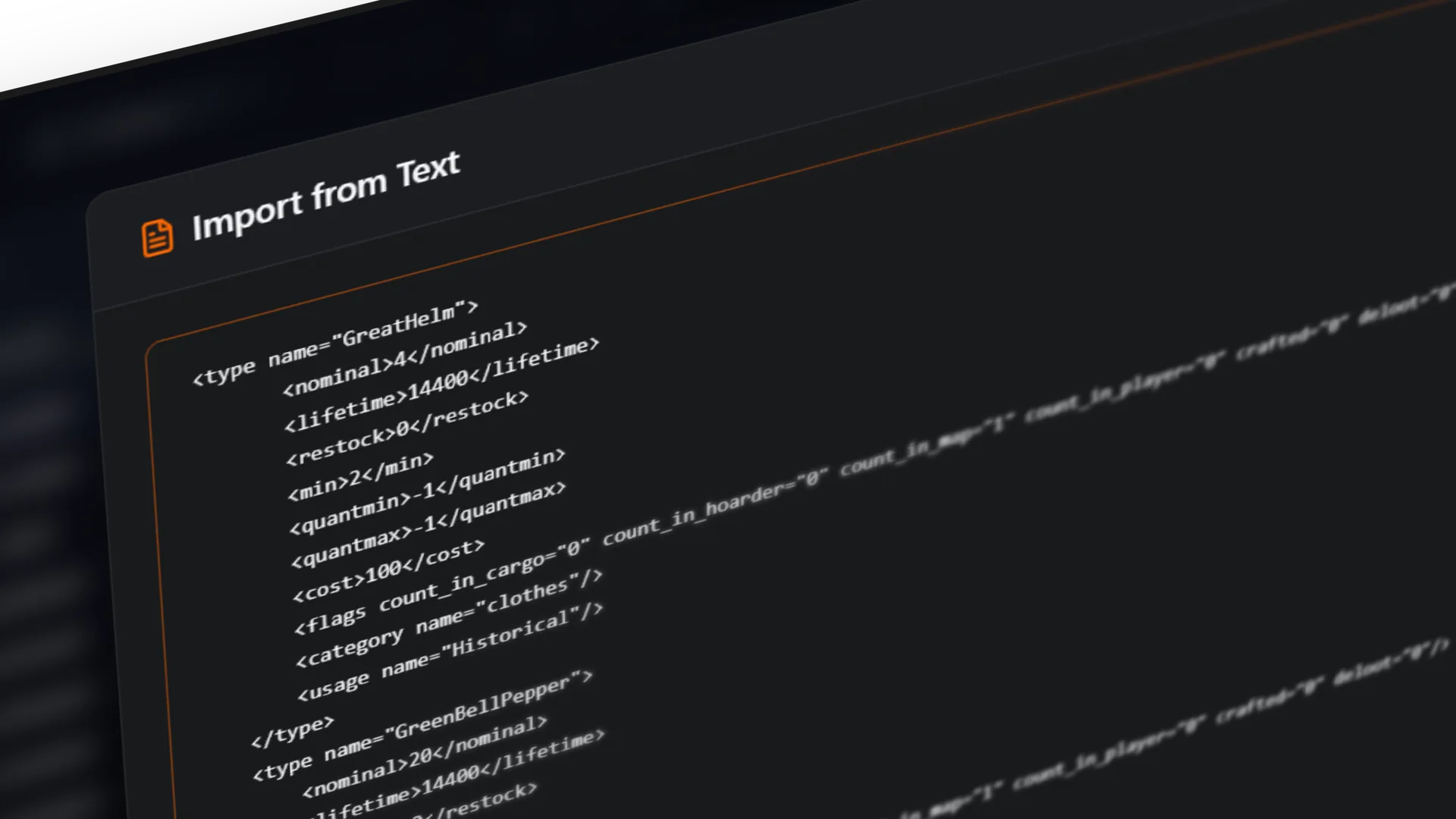
Direct Injection

Unstructured data import

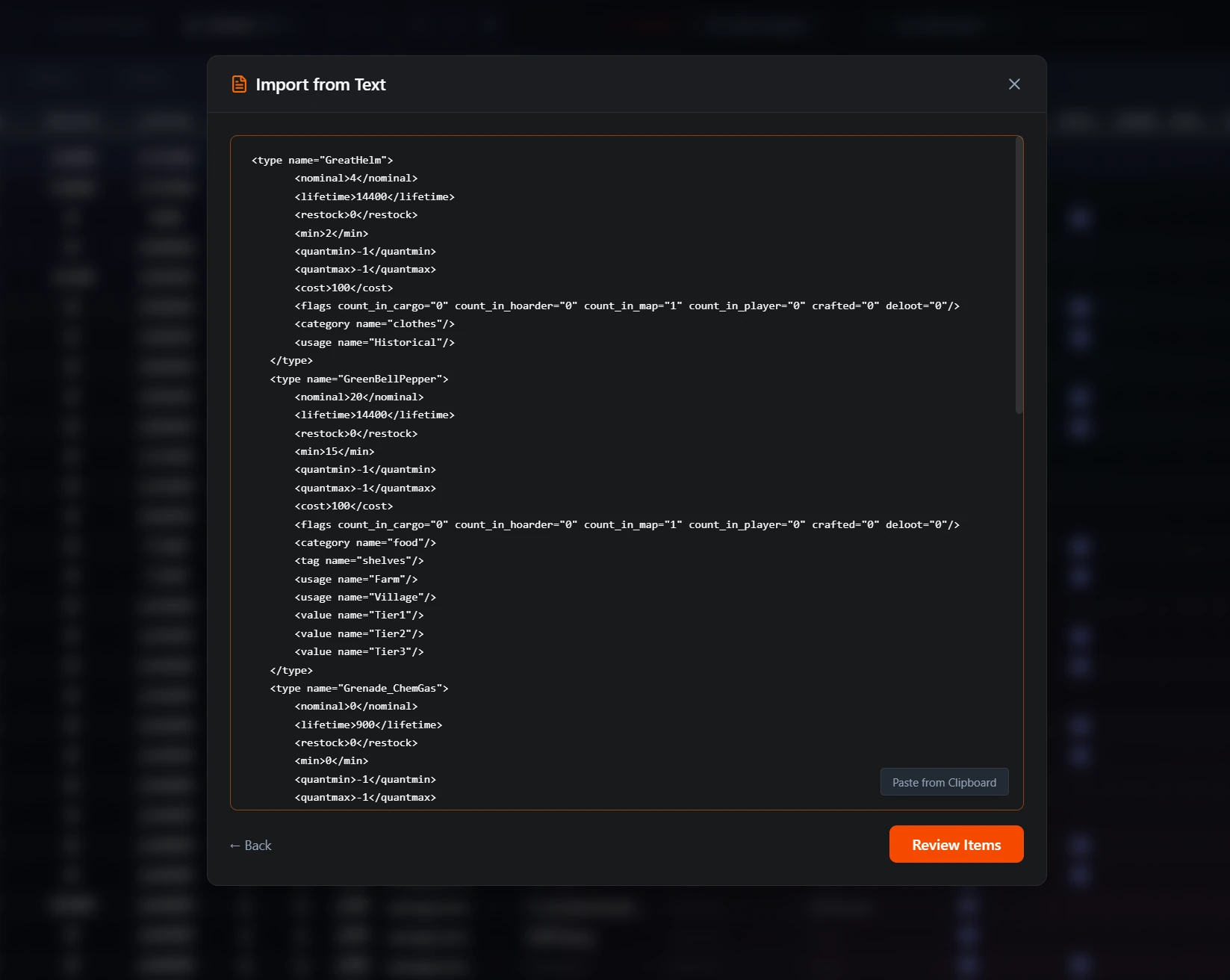
Bypass file dialogs entirely. Inject XML snippets directly from your clipboard or forum posts. The editor parses the raw text and stages the changes automatically for your review.

  • Copy-paste raw XML data formats
  • Automatic parsing and error handling
  • Rapid prototyping for custom configurations
Import from text modal interface inside mockup
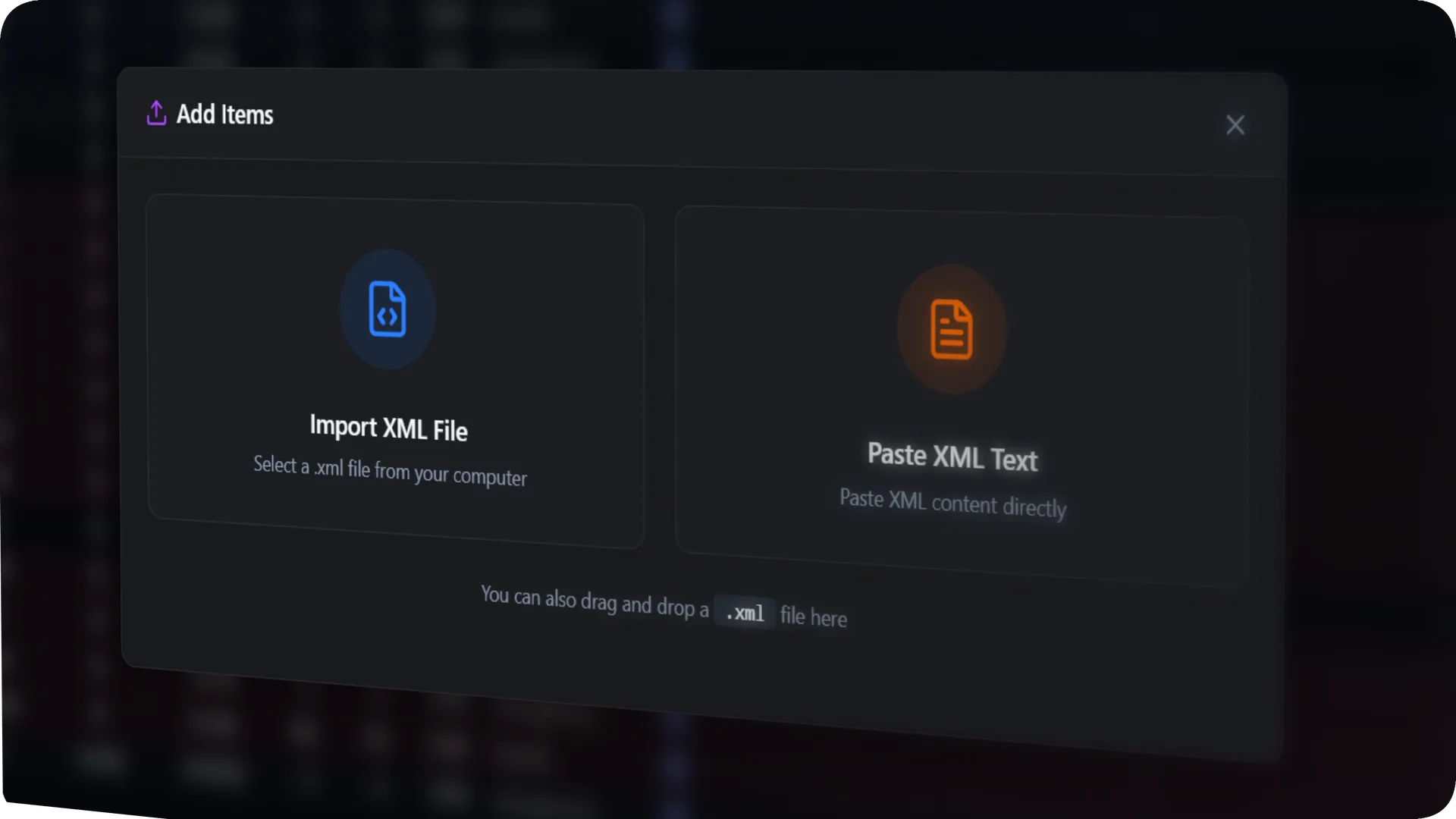
Economy Expansion

Granular instance spawning

Expand your loot economy with precision. Create new item entries with fully validated baseline parameters, ensuring newly introduced mod gear spawns correctly on first boot.

  • Instant entity instantiation
  • Deep validation logic upon creation
  • Assign foundational tier definitions securely
Add items modal interface inside mockup

0+ Items.
Zero Lag.

Other editors choke on large files. Ours doesn't. Advanced virtualization renders only what you see, delivering instant scrolling, filtering, and sorting — no matter how big your types.xml gets.

0
Frames Per Second
<1ms
Filter Response
Rows Supported

Frequently asked questions

Everything you need to know about the Loot Editor for DayZ.

The Loot Editor for DayZ is a professional desktop application that lets DayZ server administrators visually edit types.xml files. Instead of manually editing thousands of lines of XML, you get a powerful spreadsheet-like interface with mass editing, smart import and merge, real-time error checking, and buttery-smooth performance — even with 10,000+ items.
The Loot Editor works with DayZ types.xml files. These files control all loot spawning behavior on DayZ servers, including spawn rates, quantities, locations, and item lifetimes. The editor uses non-destructive saving — your comments and XML structure are preserved.
Absolutely! The Loot Editor uses advanced virtualization to handle files with 10,000+ items smoothly. You can scroll, filter, and sort in real-time without any lag or crashes.
Simply drag and drop a mod's types.xml file into the editor. The Smart Import system will automatically detect new items, duplicates, and conflicts. You'll see a full preview before confirming.
Yes! The editor includes real-time error checking. It scans for missing values, invalid tier assignments, logic errors, and more. The editor will block saving if critical errors are detected.
The Loot Editor for DayZ is available exclusively on Steam.
Yes! The Loot Editor is fully compatible with all DayZ mods that use the standard types.xml format. Vanilla or heavily modded — the editor handles it all.
Yes! The Mass Edit feature lets you select hundreds of items and change their values simultaneously. Set absolute values or apply percentage-based adjustments across entire categories.

Ready to take control
of your loot?

Stop editing raw XML. Start managing your DayZ server like a professional.

Get it on Steam